PhD Weekly Update Template (With Real Examples)
A weekly update a PhD student can write in three minutes and a supervisor can read in thirty seconds. The template, good and bad examples, versions for each stage of the degree, and how supervisors should answer.
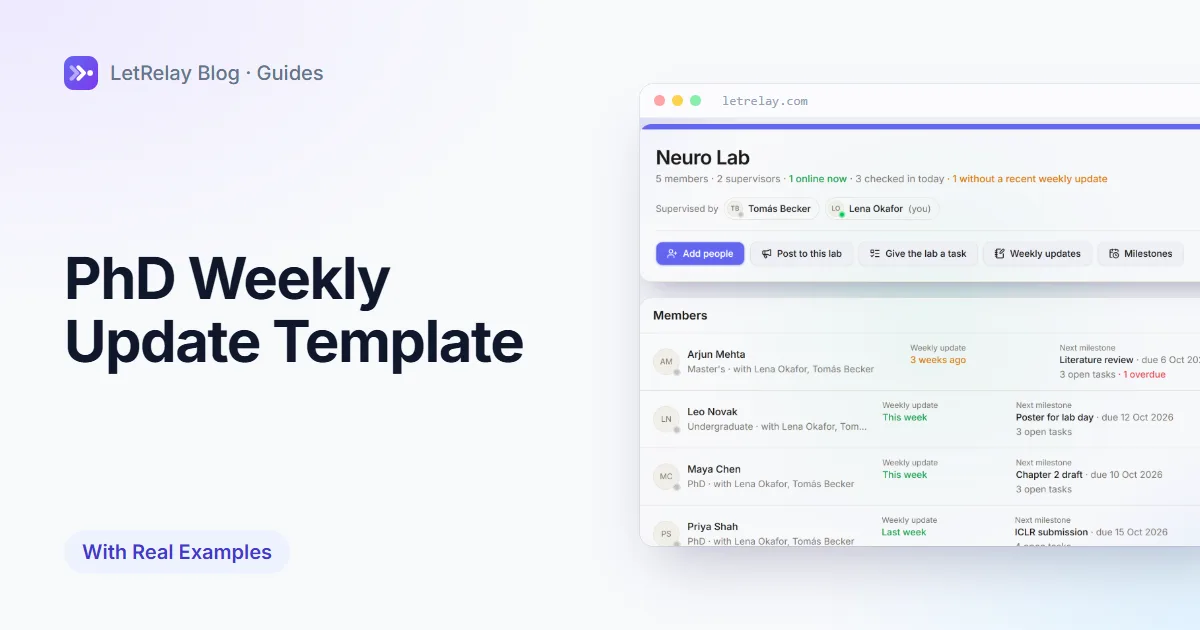
A good PhD weekly update template has four short parts: what you did this week, what you will do next week, what is blocking you, and (optionally) what you read. Written on Friday, it takes a student about three minutes and a supervisor about thirty seconds to read. The one part that matters most is the blocker line, because it turns "I didn't want to bother you" into a problem the supervisor can solve on Monday.
Below is the template to copy, examples of updates that work and ones that do not, versions for each stage of a PhD, and what a supervisor should do with them.
The template
Copy this into an email, a shared doc, or whatever tool your group uses:
Week of: <date>

Done this week
- <result, draft, experiment or reading finished, one line each>

Next week
- <the one to three things you will do>

Blockers / need help
- <anything stuck, and what would unstick it>  (write "none" if none)

Reading (optional)
- <paper worth sharing with the group, one line on why>

How am I doing? (optional, 1 to 5, seen only by my supervisors)
Four rules keep it useful:
- One line per item. An update is a pointer, not a report. Link the notebook entry, the draft or the plot instead of pasting it.
- Results, not activity. "Ran the ablation: removing the attention layer costs 4 points" beats "worked on experiments".
- Always fill the blocker line. "None" is a valid answer and still worth writing. It tells the supervisor the silence is good news.
- Same day, same place, every week. A fixed rhythm is what makes it three minutes instead of a weekly essay.
Why a written update beats "any updates?" in the corridor
Supervisors often rely on students to come forward when something goes wrong, and students often do not. They worry about looking slow, they assume the problem will resolve itself, or they do not want to take their supervisor's time. A written update removes the social cost of asking: the blocker line is a place where asking is expected.
This matters beyond productivity. Nature's 2019 global survey of about 6,300 PhD students found that more than a third had sought help for anxiety or depression caused by their PhD study, and about one in five reported experiencing bullying. A weekly written channel will not fix a toxic lab, but it does give a student a low-pressure, regular way to say "I am stuck" or "I am not okay" before it becomes a crisis. That is also why the optional wellbeing score must stay private to the student's own supervisors, never shared with lab-mates.
Examples: updates that work and updates that do not
Too vague (the supervisor learns nothing):
Done: worked on chapter 2 and experiments. Next: continue. Blockers: none.
Too long (the supervisor stops reading):
A six-paragraph narrative of every run, with pasted tables and three questions buried in paragraph five.
Useful:
Done: finished the related-work section of chapter 2 (draft linked); reproduced the baseline, within 0.3 points of the paper. Next: run the three ablations from our last 1:1; send the chapter 2 draft to you by Wednesday. Blockers: the cluster queue is 2 days long. Could we ask for a priority allocation before the deadline? Reading: a new paper on data pruning, relevant to Priya's project (link).
The useful one is shorter than the long one and far more informative than the vague one. It also makes the supervisor's job obvious: answer one question about the cluster.
The template for each stage of a PhD
The four boxes stay the same; what goes in them changes.
First year: learning the field
- Done: papers read and one line on what each taught you; courses; first reproductions.
- Next: the next paper or tutorial; the experiment you are setting up.
- Blockers: anything you do not understand after an honest try. First-year students under-ask the most, so supervisors should reward every blocker raised.
Middle years: experiments and papers
- Done: results with numbers, and whether they matched your expectation.
- Next: the experiment or section with a date on it, especially if a conference deadline is near. Many CS venues count deadlines in AoE, anywhere on Earth, so write the date the same way the venue does.
- Blockers: compute, data access, a co-author waiting on you or you on them.
Writing up: the thesis
- Done: pages or sections drafted and where they live.
- Next: the section you will send for feedback, and when.
- Blockers: feedback you are waiting for. Name the chapter and the date you sent it; that makes the delay visible without anyone having to complain.
The supervisor's side: what to do with updates
A weekly update only works if something happens after it is sent. Students stop writing them within a month if they vanish into an inbox.
- Read them on Monday, blockers first. Sort by the blocker line, not by student name. Ten students' updates take about five minutes this way.
- Reply to every blocker within two working days, even if the reply is "let's discuss Thursday".
- Answer "none" with nothing. No reply is needed to a clean week; a thumbs-up at most. Replying to everything teaches students that updates create work.
- Bring the update to the 1:1. Start the meeting from last week's blockers and next steps. The update becomes the agenda, so the 1:1 goes straight to the substance.
- Watch for patterns, not single weeks. Three weeks of the same "next" item, or a wellbeing score falling two weeks in a row, is the signal worth a conversation.
The whole loop, from Friday update to Monday digest to 1:1, is described in how to manage PhD students without chasing them. For the meeting itself, use a 1:1 supervision agenda that starts from last week's blockers.
Weekly update vs annual progress report
Universities ask for a formal progress report once a year. ETH Zurich's recommended template, for example, asks for the research background and goals, the work done since the last report (including negative results and what was learned from them), professional development such as talks and publications, goals for the next year, and the supervisor's assessment. That is a different document with a different purpose: it is an assessment, and it is written for the department. For a ready-to-fill format, see our PhD progress report template and sample.
Weekly updates make the annual report easy. Fifty short updates already contain every result, every paper submitted and every setback, with dates. A student who has written them can draft the annual report in an afternoon instead of reconstructing the year from memory. The same goes for the written report before a PhD committee meeting and for keeping a PhD timeline honest: a slipping milestone shows up in the updates weeks before it shows up in the review.
Using the template in Excel, Google Sheets, PowerPoint or email
The four boxes work in any tool. What changes is who can see the file.
- Email or a private doc (best for most groups). One short message or one document per student, shared only with the student's supervisors. Add a new dated block at the top each week, so the last six weeks scroll in one place.
- Excel or Google Sheets. One row per week, with columns for week, done, next, blockers, reading and (optionally) a 1 to 5 score. A sheet suits one student's own log. Do not put the whole lab in one shared sheet: everyone would read everyone's blockers, which is exactly what makes students stop writing them.
- PowerPoint or Google Slides. Not for the weekly update itself, but for the group meeting: one slide per student whose title is a sentence stating the main result, built from the "done" box. The lab meeting presentation guide has a slide outline.
- A form or a lab tool. A form with the same four fields and a reminder on Friday gives you the template with the reminders built in, and a tool can enforce who sees what.
The same template for a team or department
Nothing in the four boxes is specific to a PhD. A weekly status update template for staff, a project team or a department works with the same four headings: done, next, blockers and asks. Keep the same rules: one line per item, results rather than activity, a blocker line that is always filled in, and the same day and place every week. If you manage people other than students, the equivalent of the Monday digest is reading the blockers first and answering each one the same day.
Common mistakes
- Making it a performance review. If updates are graded, students write for the grade and stop reporting problems.
- Sharing updates with the whole lab. Keep each update between the student, their supervisors and the PI. Group visibility belongs in the group meeting, where students choose what to present.
- No reminder. People forget. A reminder on Friday afternoon and a gentle nudge on Monday, sent by a tool rather than by the supervisor, keeps the rhythm without anyone nagging.
- Letting it grow. When updates creep past a screen, cut back to the four boxes.
How LetRelay does it
In a LetRelay research group, the update form is exactly these four boxes plus an optional 1 to 5 wellbeing score that only the student's supervisors see. Students get a reminder on Friday, in the lab's time zone, and a nudge on Monday if they missed it. Supervisors get a Monday digest with blockers at the top, and 1:1 notes can turn any line into a task. Updates are visible to their author, the author's supervisors and the PI, and to nobody else, which the database enforces. More on the LetRelay for research groups page.
FAQ
How long should a PhD weekly update be?
Short enough to write in about three minutes and read in thirty seconds: one line per item under four headings. If it needs a scroll, it is too long; link to the details instead.
What should a PhD student write when nothing worked this week?
Write exactly that, with what you learned: "The new loss diverged in all three runs; I suspect the learning rate schedule. Next week: try the fix, and if it fails, I would like to talk it through." A failed week reported honestly is more useful to a supervisor than a vague one.
Should weekly updates be shared with the whole lab?
No. Keep them between the student, their supervisors and the PI. Students report problems more honestly when lab-mates cannot read them. Share results with the group in the group meeting instead.
Do supervisors need to reply to every weekly update?
No. Reply to every blocker within a couple of working days, and let clean weeks pass with no reply or a quick acknowledgement. Replying to everything turns updates into a burden for both sides.
What day should weekly updates be due?
Friday afternoon works for most groups: the week is fresh in the student's mind, and the supervisor can read them all on Monday morning. Send an automatic reminder on Friday and a nudge on Monday for anyone who missed it.
Is there a free PhD weekly update template for Word, Excel or PowerPoint?
The template above is plain text, so you can paste it into Word, a Google Doc, an Excel or Sheets log (one row per week), or an email. PowerPoint or Slides suits the group meeting rather than the weekly update: build one slide from the "done" box. Share it only with your supervisors, not the whole lab.
Can I use this weekly update template for a team or department?
Yes. Rename the boxes done, next, blockers and asks, keep each item to one line, and read the blockers first each Monday. The rhythm works for any team; the PhD-specific parts are only the optional reading line and the stage-by-stage versions.
Sources
Building LetRelay, the workspace for research groups and small teams: lab management, supervision tools, and an internal request desk with AI triage and SLA tracking.
Run your research group on LetRelay
Tasks, deadlines, weekly updates and supervision in one place, so you stop chasing students for news. Free for up to 5 people.
Keep reading
How to Email a Potential PhD Supervisor (With Examples)
When emailing a professor helps your PhD application and when it does not, what to write, two example emails, and how PIs can handle inquiries fairly.
How to Write a Recommendation Letter for a Graduate Student
A paragraph-by-paragraph structure, an example letter, the phrases that quietly weaken a letter, and a workflow for PIs writing dozens each season.
PhD Supervision Meeting Agenda: 1:1 Template and Questions
A 1:1 agenda for PhD supervision meetings, questions for your first meeting with a supervisor, a notes template, and how supervisors make meetings count.